API, CLI & AI assistants
Read and act on your apps, servers, backups, runs and logs from a terminal, a script or an AI assistant, with a token you create, limited to your namespaces and your access.
One surface, three ways in
You can work with CloudWady without opening the dashboard, in three ways:
- the cw command line;
- AI assistants over MCP;
- the HTTP API that both of them use.
All three answer the same questions:
| Topic | What you get |
|---|---|
| What needs attention | Apps in error, critical or missing production backups, expired or expiring certificates, runs that failed in the last day. The same rules and counts as the dashboard. |
| Apps | Apps by name, environment, version, edition, server or project, with their state, last deploy and backup health. For one app, also its URLs and certificates, and the commit each repository runs next to the newest one on its branch. |
| Projects | Your projects, and the environments your level sees in each. |
| Restore points | What each change to an app did, and whether it can still be undone. |
| URLs | Every app URL across your namespaces, by certificate state. |
| Servers & installers | Your servers and the services installed on them. |
| Backups | An app's backups: when, size, format, whether verified, and their off-site copies. |
| Runs | Deploys, updates, backups and restores step by step, and why a failed step failed. |
| Logs | An app's Odoo log, searchable up to a day back or followed live, on plans that include the Logger. Secrets are masked. |
A token can also make changes: back up, restart, retry, update, update modules and maintenance, and get a one-hour certificate that signs you in to a server as root (cw ssh).
Create an API token
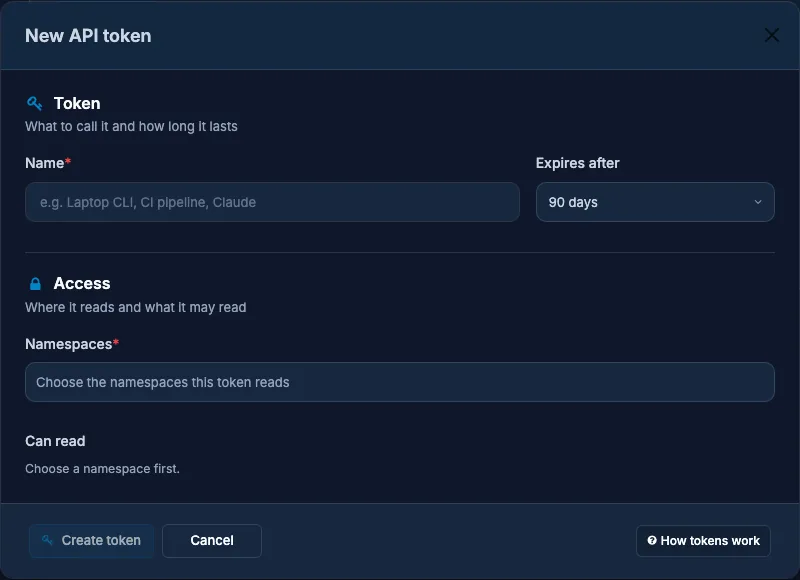
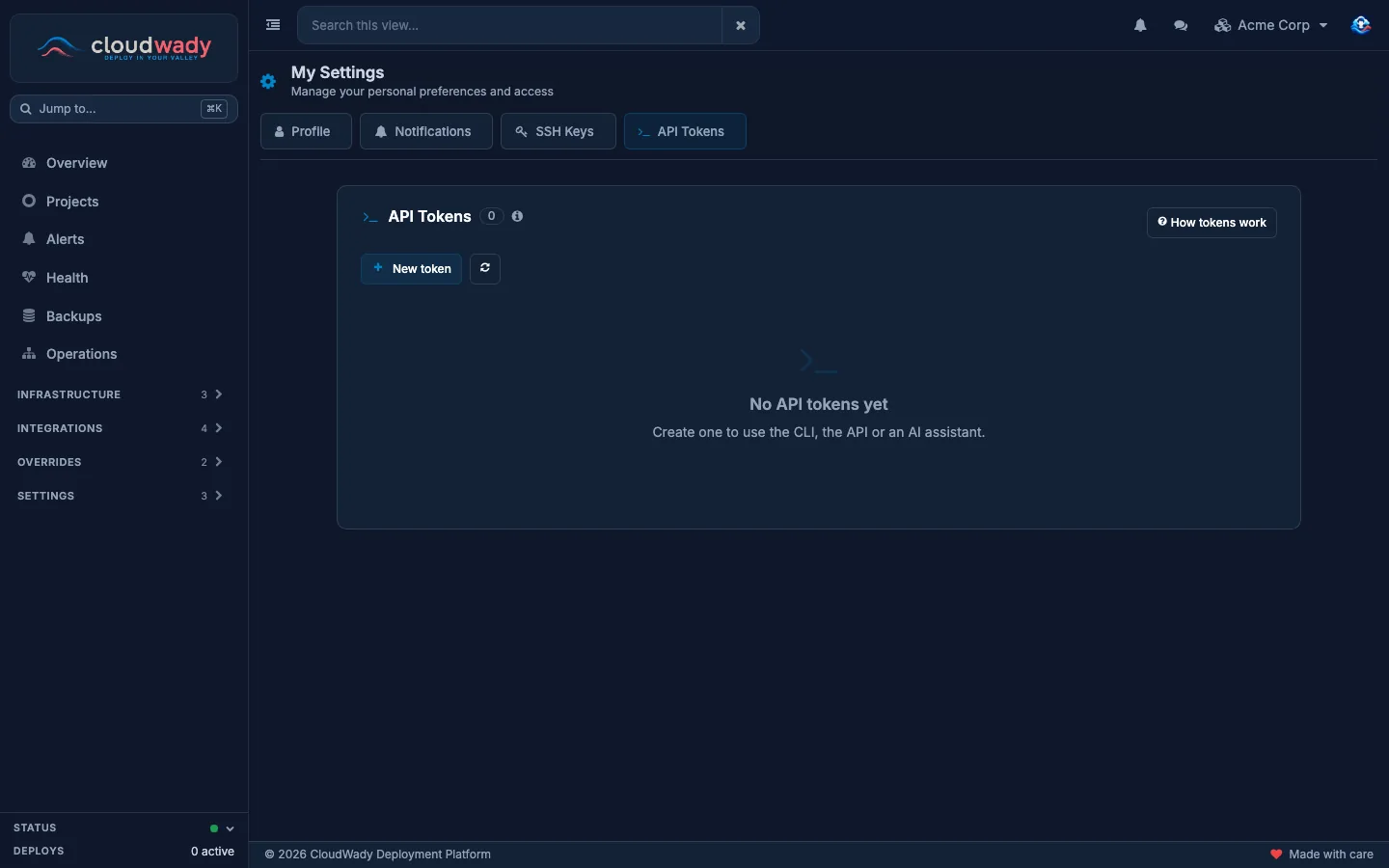
The tokens that let the cw command line, your scripts and AI assistants work as you, each limited to what you give it.
You can
- Create one with New token: a name for where you use it, an expiry of 1 to 365 days, its namespaces, what it may read and, optionally, change.
- Edit a token's name, namespaces and reach later.
- Revoke a token at any time.
Good to know
- The token is shown once, after Create token. It starts with
cwk_: keep it like a password. - A token never reaches more than you do; when your own access changes, it follows on its next request.
- A token reads only what it was given: to let an older one read something added since, edit it and tick the new item.
- Anything using a revoked token stops working at once.
Install the CLI
macOS and Linux:
curl -fsSL https://www.cloudwady.com/install.sh | shThe script downloads the build for your machine and checks it against the release checksums. It installs cw into /usr/local/bin or ~/.local/bin, never with sudo.
With Homebrew on macOS:
brew install kingswady/tap/cwWindows, in PowerShell:
irm https://www.cloudwady.com/install.ps1 | iexIt checks the download the same way and installs cw.exe into AppData\Local\Programs\cw. It adds that folder to your PATH, without needing an administrator; open a new terminal afterwards.
To install by hand instead, download cw_windows_amd64.zip from the latest release. Unzip it and put cw.exe in a folder on your PATH.
cw login        # paste the token; it is kept in your system keychain
cw whoami       # who the token acts as, its namespaces, and when it expires
cw namespaces   # the namespaces the token reads, and your level in each
cw use          # switch between platforms you logged in to
cw logout       # forget the token on this machine
On a machine without a keychain, cw keeps the token in a file only you can read. In a script, pipe the token in instead of typing it:
printf '%s' "$CW_TOKEN" | cw login --with-tokencw update keeps cw current; if Homebrew installed it, use brew upgrade cw. cw also offers to update itself when a newer release is out, and checks the release's signature before installing it.
For tab completion, cw completion zsh prints the script for your shell. It also takes bash and fish; the README says where to put the script.
Everyday commands
cw attention                              # what needs attention now
cw apps --search shop                     # your apps; --env, --version, --project, --server
cw apps show shop                         # one app: URLs, repositories, deployed and newest commit
cw runs --app shop --state error          # recent runs that failed
cw runs show run_4n8x2k7q9mzt             # a run's steps, and why one failed
cw logs shop --since 15m --grep ERROR     # the app's Odoo log; --follow keeps it open
cw backups --app shop                     # an app's backups and their off-site copies
Every command takes --json, which prints the API's own answer for jq, and --namespace acme. List commands also take --limit and --offset. The CLI reference lists every command and flag.
| Exit code | Meaning |
|---|---|
0 | Done. |
1 | The platform refused or the run failed. |
2 | A mistake on the command line, or a request the platform rejected as malformed. |
3 | cw attention found something. |
4 | With --wait, the run was still going when --timeout ran out. |
130 | You stopped it with Ctrl-C. |
Make changes
A token can make the changes you ticked under Can change. These are the dashboard's own actions, with the same checks. Your level in the app's environment must allow it (see access by environment), and so must the project's plan.
cw backup shop --wait                     # a backup now; --format dump for the database alone
cw restart shop --wait
cw runs retry run_4n8x2k7q9mzt --wait     # --now retries even when an automatic retry is due
cw apps update shop --wait                # latest code, rebuilt, the changed modules updated
cw apps update shop --quick               # pull and restart on the same image
cw apps update-modules shop sale stock    # update these modules on the app's database
cw maintenance shop on                    # and off again
An update or a module update of a production app takes a backup first, unless you add --no-backup. In other environments, add --backup to get one.
cw asks before it acts, and names the app, its project and its environment. To change a production app you type its name; a backup leaves the app as it is, so you answer y. In a script, add --yes.
--wait follows the run until it ends, including the backup when one is taken first. While a backup runs it shows what is happening on the server, such as dumping the database or packing the archive. cw backup then ends with the backup's size and where it is kept.
A token that can make changes lasts 30 days at most. If the New token dialog shows no Can change section, changes through the API aren't open on your account yet; ask support.
A change that can't run now is refused with a reason, for example while another run is in progress on the app. The error codes list each reason and what to do.
Sign in to a server as root
cw ssh opens a shell as root on one of your servers, from your own machine and with your own SSH key. CloudWady signs a certificate for that key, valid for one hour; cw keeps it and asks for a new one once it runs out. Nothing is added to root, and the server's sign-in log names you.
cw ssh web-1                      # a root shell on the server web-1
cw ssh web-1 -- df -h             # run one command and come back
cw ssh web-1 --key ~/.ssh/work    # sign in with another of your keys
It needs:
- your public key under My Settings → SSH Keys (see SSH keys);
- the Maintainer or Admin level, and terminal access to the server;
- a token with SSH certificate ticked under Can change;
- a server set up by Harden Server, which makes it take certificates.
From cw 0.13.0, a key works without its .pub file beside it: cw reads the public key with ssh-keygen -y, and an encrypted key asks for its passphrase.
Without --key, cw uses the first of ~/.ssh/id_ed25519, id_ecdsa and id_rsa. You can get the same certificate in the dashboard too: see Root access. Assistants connected over MCP never get one: an agent is never handed root.
Connect an AI assistant (MCP)
MCP lets an assistant such as Claude, Cursor or Codex call CloudWady itself. cw mcp connects it with the token you logged in with.
Claude Code:
claude mcp add -s user cloudwady -- cw mcpClaude Desktop, Cursor and most other assistants, in their JSON configuration:
{ "mcpServers": { "cloudwady": { "command": "cw", "args": ["mcp"] } } }Codex, in its TOML configuration:
[mcp_servers.cloudwady]
command = "cw"
args = ["mcp"]
An assistant that connects over HTTP can use https://www.cloudwady.com/mcp with the header Authorization: Bearer cwk_….
Then ask in plain words, for example "What needs attention on CloudWady?" or "Why did the last deploy of shop fail?". You can also start from the prompts it offers: triage, why_failed and app_health. A prompt appears when your token may read what it needs.
The assistant may read what your token may read. It gets the changes your token holds only if it can put the question to you: before anything runs, it shows you what will change and waits for your answer. An assistant that can't ask you gets the reading tools alone.
See the MCP tools reference for every tool.
In scripts and CI
CW_TOKEN takes the place of the saved token, and CW_URL of the saved platform:
export CW_TOKEN=cwk_…      # from your CI secret store
cw runs --app shop --state error --json
cw attention --json > attention.json || ./notify-team.sh attention.json
The HTTP API
Every request goes to https://www.cloudwady.com/api/v1/… with the header Authorization: Bearer cwk_…. An answer is {"data": …}. A refusal is {"error": {"code": …, "message": …}}, with a matching HTTP status.
curl -H "Authorization: Bearer $CW_TOKEN" https://www.cloudwady.com/api/v1/attentionReads use GET. A change uses POST and needs an Idempotency-Key header: any value of your own, up to 100 letters, digits or . _ : -.
curl -X POST -H "Authorization: Bearer $CW_TOKEN" \
     -H "Idempotency-Key: backup-shop-2026-10-19" \
     https://www.cloudwady.com/api/v1/apps/app_7k2m9xq4pzta/backup
The answer is 202 when the run starts, and 200 otherwise. Send the same key again within 24 hours and you get the same answer back; nothing runs twice. The HTTP API itself never asks you to confirm; a request runs as soon as it is accepted.
Records are named by the ids the API gives, such as app_7k2m9xq4pzta: the letters before the _ say what kind of record it is (app, srv, run, bkp). The plain numbers of earlier answers still work for now, and an answer to a request that used one carries a Deprecation header.
The API reference lists every endpoint, and the error codes every refusal. The OpenAPI document is at /api/v1/openapi.json. Successful answers carry X-Token-Expires-At, so a script can warn before its token stops working.
Limits & security
- Your access, no more. A token reads only the namespaces you gave it, and sees what the dashboard shows your level there.
- Read-only unless you say so. A token makes changes only when you ticked them for it, and then it lasts 30 days at most.
- Secrets stay out. Passwords, keys and credentials are never part of an answer, and log lines are masked.
- Rate limits.
- 120 requests a minute per token, and 300 per user;
- at most 10 changes a minute per token.
429withRetry-After;cw logs --followwaits and carries on. - Tokens. Stored hashed, shown once, and expiring on the date you chose. If one may have leaked, revoke it in My Settings.
Was this page helpful?
Your answer helps us prioritize documentation improvements.
Thanks — your feedback helps us improve.
Type to search titles and text.
↑↓ to move ↵ to open Esc to close